> ## Documentation Index
> Fetch the complete documentation index at: https://docs.orbitaio.com/llms.txt
> Use this file to discover all available pages before exploring further.
# Quickstart
> Get started with OrbitAIO by downloading and installing.
## Grab Your License Key
If you have an OrbitAIO Pass, you can grab your license key from our [dashboard](https://orbitaio.com).
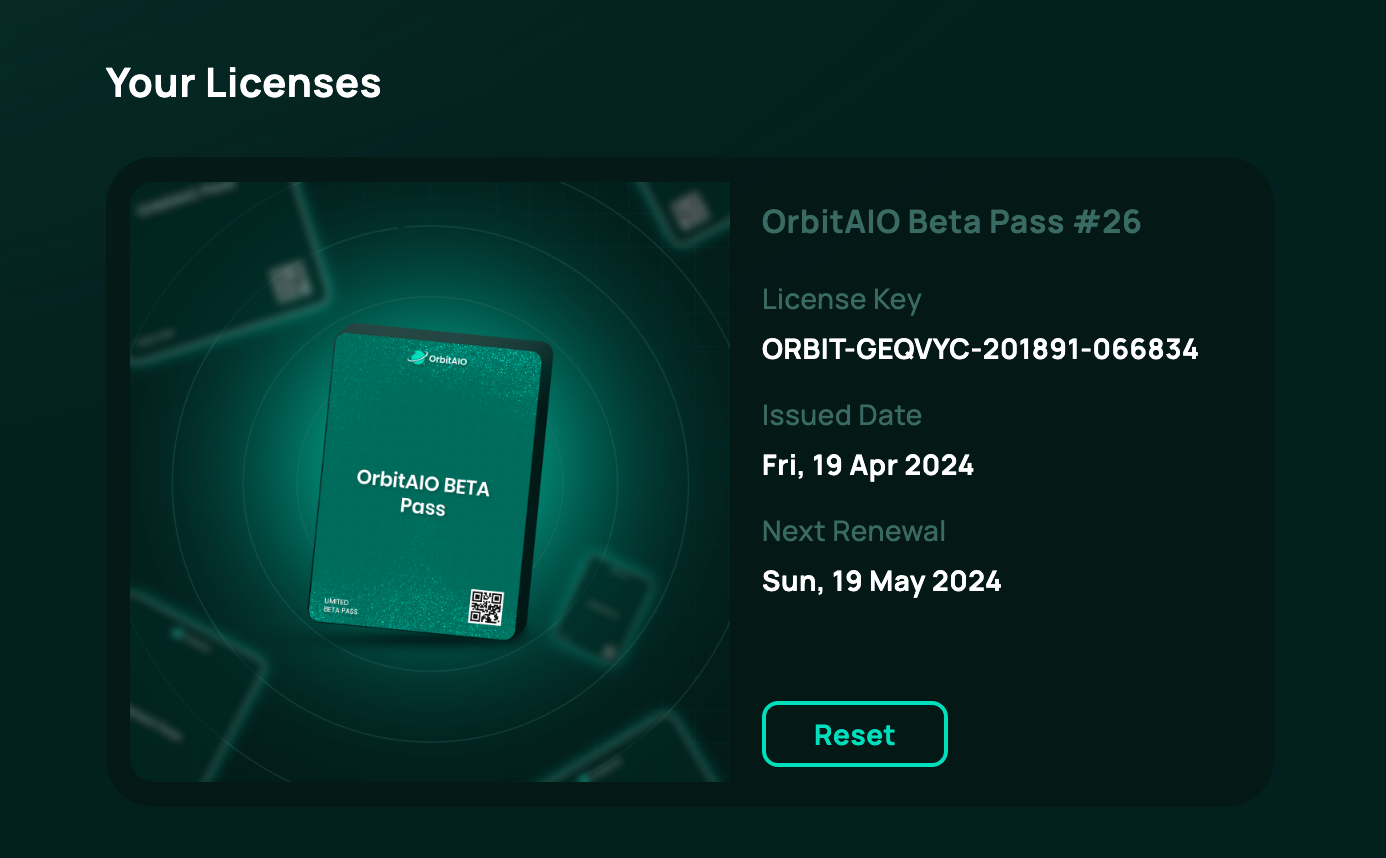 The dashboard allows you to completely manage your license key, view trades and more.
### License Management
If you have changed the device that you're running OrbitAIO on then you'll need to reset the license key. This can be done on our dashboard using the "Reset" button when managing your license.
**You can either:**
1. Reset (this will reset the device associated with your license)
2. Reshuffle (this will provide you with a new license key)
For authentication purposes, the bot will require the private key of the Solana wallet that holds your NFT pass. This is entered in settings.
You must not share this private key with anymore.
## Download
You can download the latest executable for your operating system from our [Discord](https://discord.gg/orbitaio).
**Supported Operating Systems:**
* Linux (recommended)
* MacOS
* Windows
**Note:** You must pass verification on our Discord via Matrica in order to access the download section.
## Setup OrbitAIO
Configure the bot settings according to your requirements.
Add and configure RPCs from multiple chains.
Learn how to your multi-chain wallets within OrbitAIO.
[//]: # "TODO"
[//]: #
[//]: # ""
[//]: # " Make money while you sleep with OrbitAIO."
[//]: # ""
The dashboard allows you to completely manage your license key, view trades and more.
### License Management
If you have changed the device that you're running OrbitAIO on then you'll need to reset the license key. This can be done on our dashboard using the "Reset" button when managing your license.
**You can either:**
1. Reset (this will reset the device associated with your license)
2. Reshuffle (this will provide you with a new license key)
For authentication purposes, the bot will require the private key of the Solana wallet that holds your NFT pass. This is entered in settings.
You must not share this private key with anymore.
## Download
You can download the latest executable for your operating system from our [Discord](https://discord.gg/orbitaio).
**Supported Operating Systems:**
* Linux (recommended)
* MacOS
* Windows
**Note:** You must pass verification on our Discord via Matrica in order to access the download section.
## Setup OrbitAIO
Configure the bot settings according to your requirements.
Add and configure RPCs from multiple chains.
Learn how to your multi-chain wallets within OrbitAIO.
[//]: # "TODO"
[//]: #
[//]: # ""
[//]: # " Make money while you sleep with OrbitAIO."
[//]: # ""